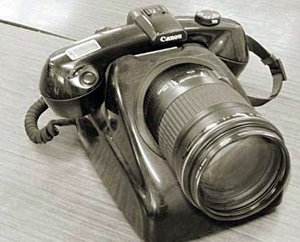
Take Pictures Of Building Directories: If you sell a product or service that pretty much anyone can use, this tip is for you. The next time you have an appointment in a multi tenant building, take a picture of the building directory. Add these companies to your prospecting list when you get back to your desk.
Oh, and I triple dog dare ya to hum the theme from James Bond when you take the picture. Admit it . . . its badass!
Take Pictures Of Some Of Your More Popular Products For An Impromptu Visual Aid: It’s one thing to be in a formal meeting and the need to show product presents itself but what about those impromptu situations like during a networking event, a luncheon, or perhaps a situation where it would just be easier to pull out your phone and show a picture? A picture certainly does say a thousand words!
Note: Just make sure you don’t accidently have any pictures in there where you’re dressed up like Xena The Warrior Princess (especially if you’re a guy)
Video A “Thank You” To Your Client: Want to add some variety to how you say “thank you”? Want to stand out from everyone else? Change things up by creating a brief 20-30 second customized “thank you” video where they see and hear you being, wait for it . . . YOU!
Super Cool Bonus Tip For You iPhone Dudes/Dudettes: Did you know that you can use your iPhone headphones as a remote control to start and stop your videos (and take pictures too)? Just hit the up volume (+) and you can take a nice steady video or picture.
So there you have it, three super easy sales tips served up fresh via your camera phone!
Anyone have any camera phone ideas we can add to this list?
 Just 2 more days to register for my “Presenting Your Solutions With Impact” webinar. This is a two part webinar that we are offering for $69.99. Details including a course outline can be found by clicking here






























Hi! I use it to take pictures of whiteboard sessions, so much more accurate (and faster) then notes-taking!
Thanks for kicking us off!
Great idea. There is an app for this but truth be told, I can’t remember there being any major difference in the app and just using the camera on one’s phone.
Thanks again!
Paul – great stuff as usual. I’m a big thank-you & nice to meet you card sender. I will take photos of/at events, if I see something interesting at someone’s job business, etc. I then import these into the card, sometimes adding captions, word bubbles, etc. 99% of the time I get a phone call not only thanking me for the card but also for how I personalized it.
Now there’s a great way to personalize a card Craig!
Thanks for sharing your idea!
A video “thank you”! I’m going to have to try that.
Thanks for the inspiration, Uncle Paul!
Nice idea’s Paul. It’s things like this that can really set you apart from the competition when in sales.
I quite often use my phone camera for taking photo’s of complete product installations so that I can show prospective clients. It’s good showing the client your product but it’s even better being able to show them what it will look like when it’s installed.
Great tips Paul -the iPhone video is a great tool for grabbing customer testimonials. When they tell you how wonderful you or your product is ask on the spot if they would mind saying it on video. Most will do it. Stop by a local music store and you can buy a lavalier microphone ($30) that will plug into the audio jack and you can have killer sound with your video. Best part is it you can take it with you anytime you are on a sales call.
Someone in sales gave me one of the most ingenious camera-phone strategies I’ve ever heard: immediately after parking in a large, unfamiliar parking lot, he takes pictures of the stationary landmarks surrounding his car, so it’s easier for him to locate it again when he’s ready to exit the lot.
While you are photographing *(James Bond style) the building directory, take a quick shot at phone directory that most companies have hanging in the lobby / waiting area (when they don’t have a receptionist). You have all the inside names and their direct numbers. How valuable is that.
Recently a customer just dumped his entire Exchange Adress book on a screen, a real goldmine of information: Name, position, manager, assistant, department, phone, fax, email, cell phone, the whole nine yards and me with my iPhone where there :). Now I can deliver service to that customer, I just tell the purchaser, let me handle it for you and make his day easier.
Great post! Can’t wait to see that next building directory and hum the James Bond theme song to myself 😉
Here is one way I have used camera phone at trade shows.
Once I am done setting up the booth. I take a picture of it and upload it to Facebook and Twitter with a message to stop and see us.I usually put the booth number in there and how to find us. If there is a hash tag for the show I put that in there also.